MX Linux or Ubuntu?
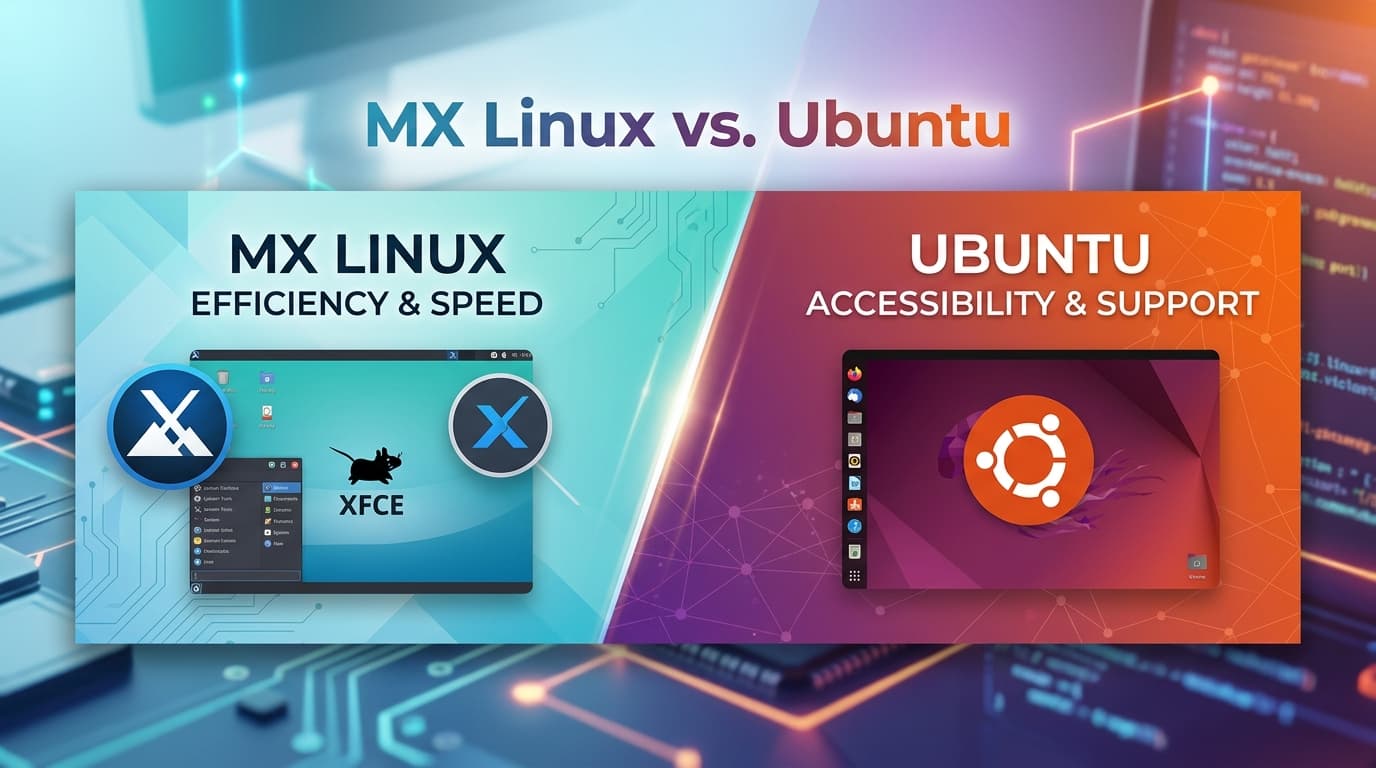
Which is better, MX Linux or Ubuntu?
Neither distribution is universally "better"—the right choice depends entirely on your hardware and how you plan to use your computer.
Both MX Linux and Ubuntu are reliable Linux distributions built on top of Debian roots, but they take very different approaches to user experience and system resource usage.
Ubuntu
- Best for: Beginners, modern hardware, and massive software compatibility.
- Desktop Environment: Uses GNOME by default, which is sleek, modern, and full of animations.
- Software Ecosystem: Features a huge range of apps, including native packages, PPAs, and Canonical's Snap store.
- Resource Usage: Consumes more RAM at startup (roughly 1.4 GB) and needs a stronger system.
- Hardware & Gaming: Offers out-of-the-box driver support, making it great for Steam and general gaming.
MX Linux
- Best for: Power users, older or lower-spec PCs, and people who want speed and control.
- Desktop Environment: Uses a lightweight XFCE setup by default (with KDE Plasma and Fluxbox options available). It uses about 550 MB of RAM at startup.
- Core Foundation: Built directly on Debian Stable, giving it rock-solid reliability.
- MX Tools: Includes a built-in suite of graphical utilities (MX Tools) that let you customize, maintain, and tweak the system easily without touching the terminal.
Quick Comparison Overview
| Feature | MX Linux | Ubuntu |
|---|---|---|
| Primary Focus | Speed, efficiency, offline management, tinkering | User-friendliness, enterprise support, broad compatibility |
| Base System | Debian Stable | Debian (custom development by Canonical) |
| Default Desktop | XFCE (KDE & Fluxbox also available) | GNOME (customized) |
| RAM Usage (Idle) | ~500 MB - 800 MB (Very Lightweight) | ~1.5 GB - 2.0 GB (Mid-Weight) |
| Package Formats | DEB, Flatpak, AppImage | DEB, Snap (forced default for many apps) |
| Best For | Older hardware, custom ISO backups, Snap-free systems | Beginners, new laptops/GPUs, modern server/cloud workflows |
Why Choose MX Linux?
MX Linux is a joint project between the antiX and former MEPIS communities. It is consistently one of the most highly rated desktop distributions for users who want lightweight speed combined with high control.
- Blazing Fast Performance: Uses lightweight desktop environments (like XFCE) that consume minimal RAM and CPU, making it ideal for aging laptops or low-spec hardware.
- Built-in MX Tools: Offers a suite of graphical system tools (e.g., MX Snapshot lets you back up your entire live system into a bootable ISO file to install elsewhere).
- No Forced Snaps: Uses standard Debian packages, Flatpaks, and AppImages out of the box without imposing Canonical’s Snap infrastructure.
- SysVinit / Systemd Flexibility: Uses SysVinit by default for low overhead while supporting
systemdon demand.
Choose MX Linux if: You have an older or mid-range PC, dislike canonical's Snap packages, or like having useful, built-in system-tweak utilities.
Why Choose Ubuntu?
Ubuntu, developed by Canonical, is the most widely recognized desktop Linux distribution in the world. It powers everything from personal laptops to enterprise servers and cloud infrastructure.
- Out-of-the-Box Hardware Support: Handles brand-new Wi-Fi chips, cutting-edge CPUs, dual-graphics setups, and proprietary NVIDIA drivers with minimal setup required.
- Massive Community & Ecosystem: Almost every third-party Linux app, game, or software tutorial provides explicit step-by-step instructions for Ubuntu.
- Long-Term Support (LTS): LTS releases come with 5 to 10 years of security patches and updates, providing long-term predictability.
- Modern Interface: Its customized GNOME desktop offers modern touch gestures, dark mode styling, and polished visual accessibility options.
Choose Ubuntu if: You are brand new to Linux, have brand-new hardware, or want maximum software and community support with zero troubleshooting required.
Which Should You Pick?
- Pick MX Linux if: You want a clean, fast desktop free of background bloat, love customizing system settings visually with "MX Tools," or want to run Linux smoothly on hardware with under 8 GB of RAM.
- Pick Ubuntu if: You are completely new to Linux, need guaranteed support for new hardware, or prefer a polished out-of-the-box system backed by standard industry documentation.
Links
- Donations
- DMS International
- BLOG
- Sathero Meters
- Ivy Stone Place
- Netflix Hidden Codes
- Free business software
Free Satellite List
The free satellite list brought to you by Ivy Stone Place and our generous contributors and sponsors.
Attention Bloggers
Attention bloggers & website owners, follow.it is in your interest. You will get many more recurring visitors with follow.it.
Check it out here Follow it.
VA RESOURCES
- For any questions or requests,1-800-MyVA411 (1-800-698-2411) is always the right number.
- Veterans Crisis Line: 988 and press 1 , Chat, or Text 838255
- Vet Centers: 1-877-927-8387
- Homeless Veteran Resources: 1-877-424-3838 or Chat
- Ask VA
- Schedule a 1-on-1 Appointment with a VA Benefits Expert
- Find a VA facility near you
For non-urgent questions, you can reach VA using the VA Health & Benefits App or MyHealtheVet secure messaging to schedule an appointment, refill prescriptions, and access your medical records.
